Your storefront
The customer-facing store.
- Theme
- Shop / catalog
- Product pages
- Cart & checkout
Releases on 20th of October 2026
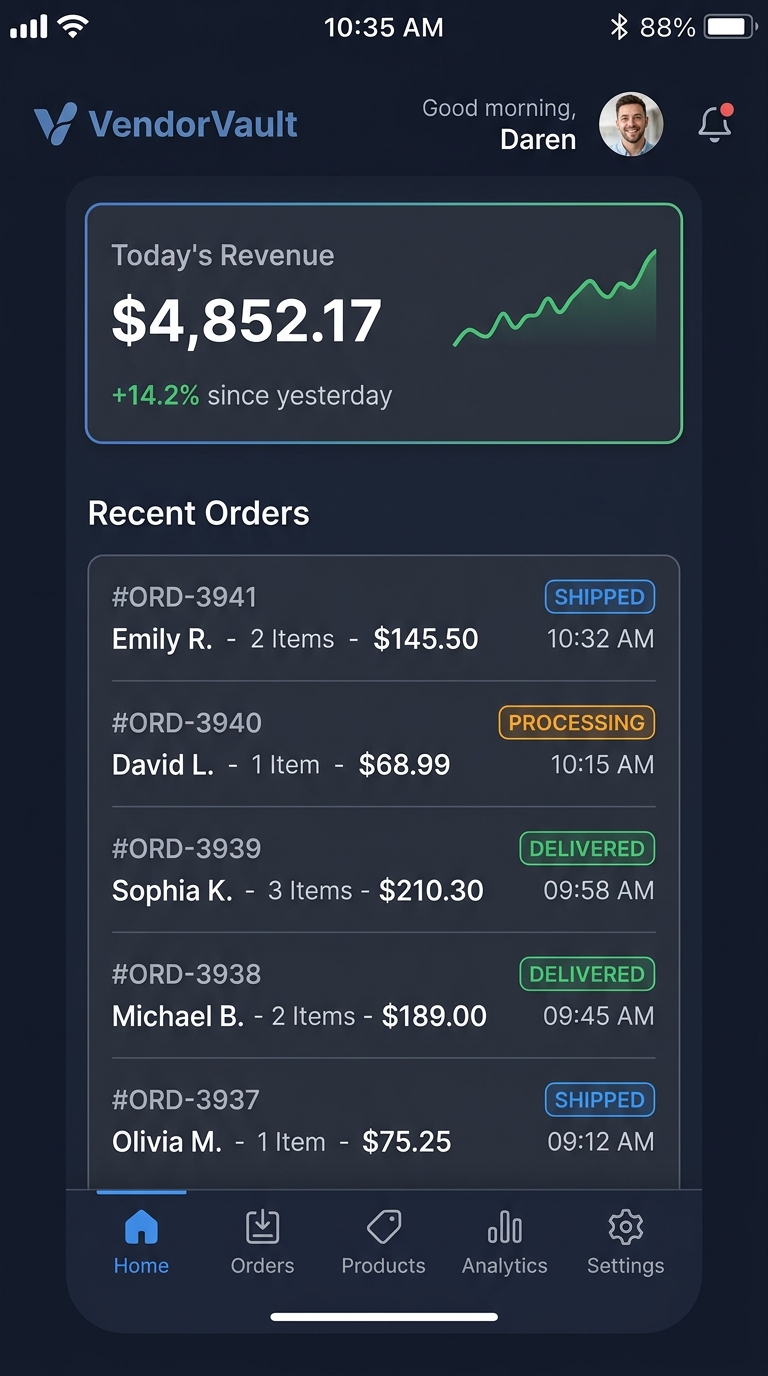
VendorVault grew from a collection of tools I used to run an ecommerce store into a purpose-built system. Rather than replacing a setup that already worked with another collection of loosely connected tools, I built the ecommerce experience into a WordPress theme I could control and evolve as one system.
The first 100 vendors get VendorVault for 50% off
20/100 vendors are already on board
Selling online involves more than managing a product catalogue. Vendors often have to handle marketing, orders, inventory, customer support and other operations while working across multiple tools and interfaces. VendorVault brings the core parts of running a store into one ecommerce system, reducing the amount of setup, switching and maintenance involved.
Manage your store from one workspace. Products, inventory, orders and customers are brought together inside the VendorVault area of WordPress.
Start with an integrated system. The core ecommerce experience is built together instead of requiring you to assemble it from separate tools.
The essentials are within reach. VendorVault puts the core tasks of running a store around products, inventory, orders and customers.
Get your store ready with fewer steps. The setup is designed to get you from installation to a working store without unnecessary configuration.
Run the store from the same system. The customer-facing storefront and the tools used to manage it are built as part of the same ecommerce experience.
Familiar platform, purpose-built ecommerce. VendorVault uses a custom WordPress ecommerce theme rather than treating the storefront and store management as separate products.
What are you getting?
VendorVault brings the core storefront and store management experience together, while leaving room to connect the external services your business needs.
The customer-facing store.
The tools behind the store.
The services around your store.
How to set up
VendorVault is designed to take you from a fresh WordPress installation to a ready-to-run store without making setup another project.
Start with WordPress.
Install the VendorVault theme on your WordPress site and enter the setup experience.
Begin with a ready-made storefront.
The setup experience guides you through installing the included starter site/template so you aren't starting with an empty website.
Put your store to work.
Add your products, pricing and inventory, then configure the essentials your store needs before opening to customers.
Your store is ready.
Your storefront is set up, your products are in place, and you're ready to start taking customers.
Store ready
Start selling →The goal isn't to give you more setup. It's to get you to the part that matters: running your store.
Getting started
Founding 100
VendorVault launches October 6, 2026. Join the Founding 100 and get the first release at $79 instead of the standard $129.
This is a presale. Your purchase reserves the first release, scheduled for October 6, 2026.